Materials & Inventory
Track every spool of filament, manage additional supplies, integrate with Bambu Lab AMS, and get alerts before you run out of materials.
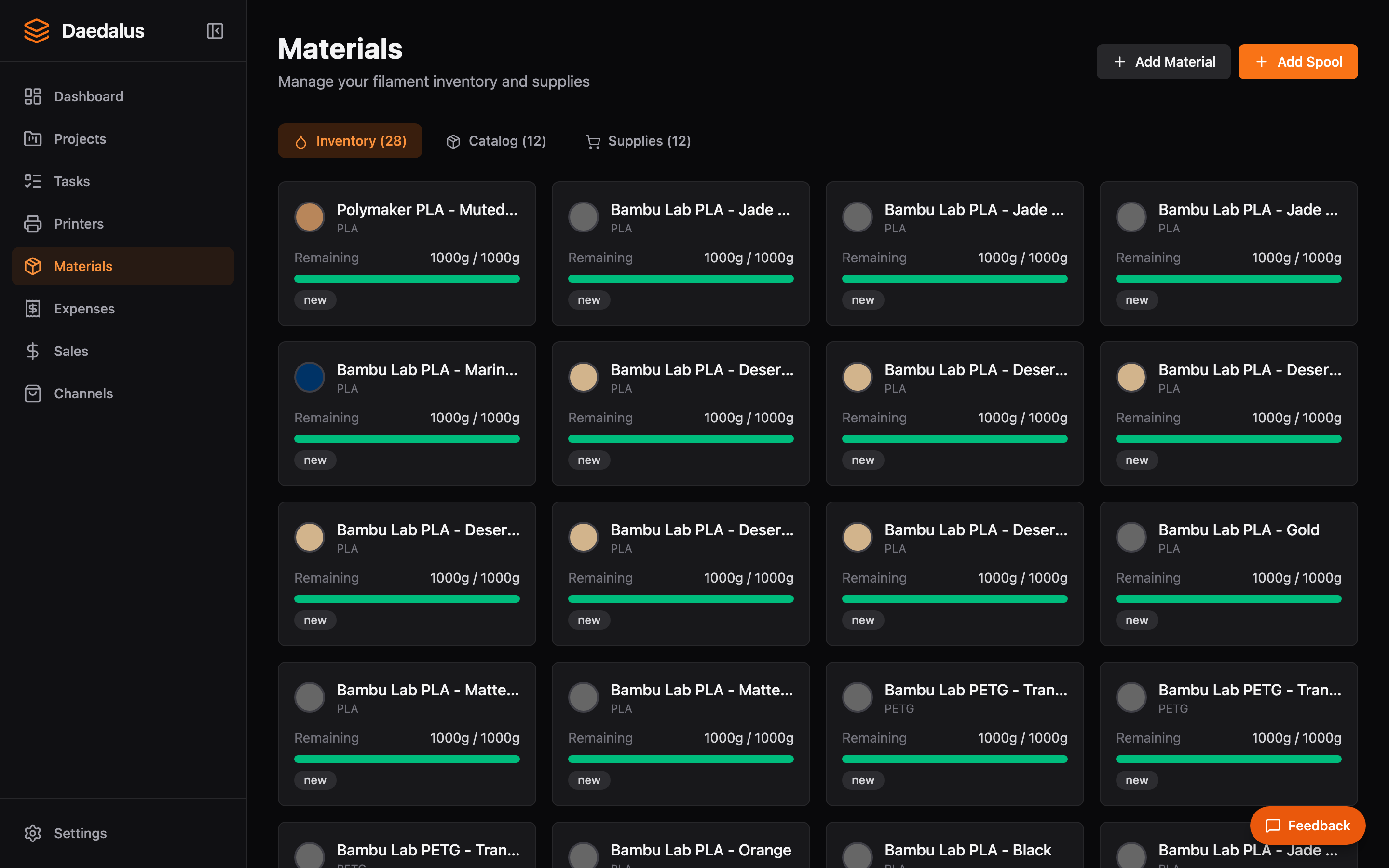
Overview
The Materials page is your inventory hub. It shows all filament spools organized by material type, with color swatches, current weight, and cost information. You can also track non-filament supplies like screws, magnets, and packaging materials.
Key Features
Material Catalog
Define the types of materials you use:
- Filament types — PLA, PETG, ABS, ASA, TPU, and custom types
- Colors — Visual color swatches for easy identification
- Cost per gram — Used for automatic cost calculations
- Vendor info — Track where you buy each material
Spool Tracking
Track individual spools of filament:
- Current weight remaining (grams)
- Original weight when purchased
- Material type and color
- Which printer or AMS tray the spool is loaded in
- Cost per spool and cost per gram
Supplies
Beyond filament, track additional supplies used in production:
- Hardware (screws, magnets, inserts)
- Packaging materials (boxes, bags, tissue)
- Consumables (glue, tape, labels)
- Set quantities and unit costs for BOM calculations
Bambu Lab AMS Integration
If you use Bambu Lab printers with AMS units, Daedalus syncs automatically:
- Detects loaded spools and tray positions
- Reads RFID spool data for Bambu-branded filament
- Updates spool weight estimates based on print usage
- Maps AMS trays to your inventory for accurate tracking
Low-Stock Alerts
Configure alerts to notify you when materials are running low:
- Warning threshold — Yellow alert when a spool drops below a set weight
- Critical threshold — Red alert when a spool is nearly empty
- Alerts appear on the dashboard and in the notification area
- Dismiss individual alerts or configure auto-dismiss rules
Adding Spools
- Click Add Spool
- Select the material type and color (or create a new material)
- Enter the spool weight, cost, and vendor
- Optionally assign it to a printer or AMS tray
Tip: When you record an expense for filament via the Expenses page, Daedalus can automatically create spool entries from the parsed receipt items. See Expenses & OCR.