Timeline
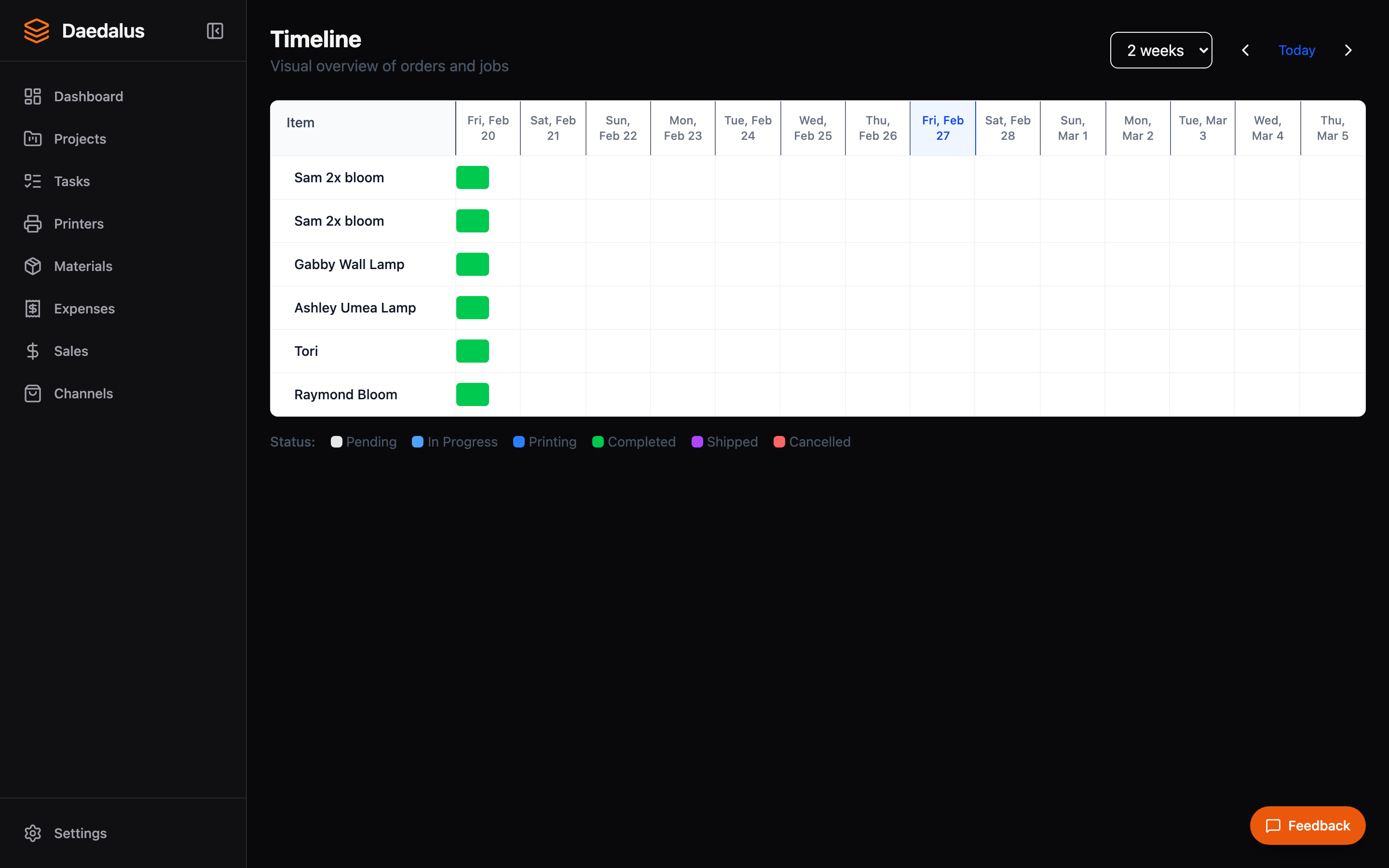
A Gantt-style view of your entire production pipeline. See orders, tasks, and print jobs laid out across time with color-coded status indicators.
Overview
The Timeline page gives you a bird's-eye view of all active production. Each row represents an order, with nested tasks and print jobs shown as horizontal bars across a time axis. This makes it easy to spot bottlenecks, see what's printing now, and plan ahead.
Key Features
Gantt View
The timeline displays items as horizontal bars:
- Orders — Span from creation date to expected completion
- Tasks — Nested under their parent order
- Print jobs — Show actual print duration on the timeline
Status Color Coding
| Color | Status |
|---|---|
| Gray | Pending |
| Blue | In Progress |
| Orange | Printing |
| Green | Completed |
| Purple | Shipped |
| Red | Cancelled / Failed |
Date Range Controls
Adjust the visible time window:
- Preset ranges: Today, This Week, This Month, Last 30 Days
- Custom date range picker for specific periods
- Zoom in/out to see more or less detail
- Scroll horizontally to navigate through time
Progress Tracking
Each bar shows completion progress:
- Orders show percentage of tasks completed
- Tasks show percentage of checklist items done
- Print jobs show real-time progress from the printer
Using the Timeline
- Open the Timeline page from the sidebar
- Set your desired date range using the controls at the top
- Click any bar to jump to the detail view for that order, task, or job
- Use the color legend to quickly identify items that need attention
Tip: Check the timeline at the start of each day to plan your production schedule. Items in gray (pending) or blue (in progress) need your attention.